
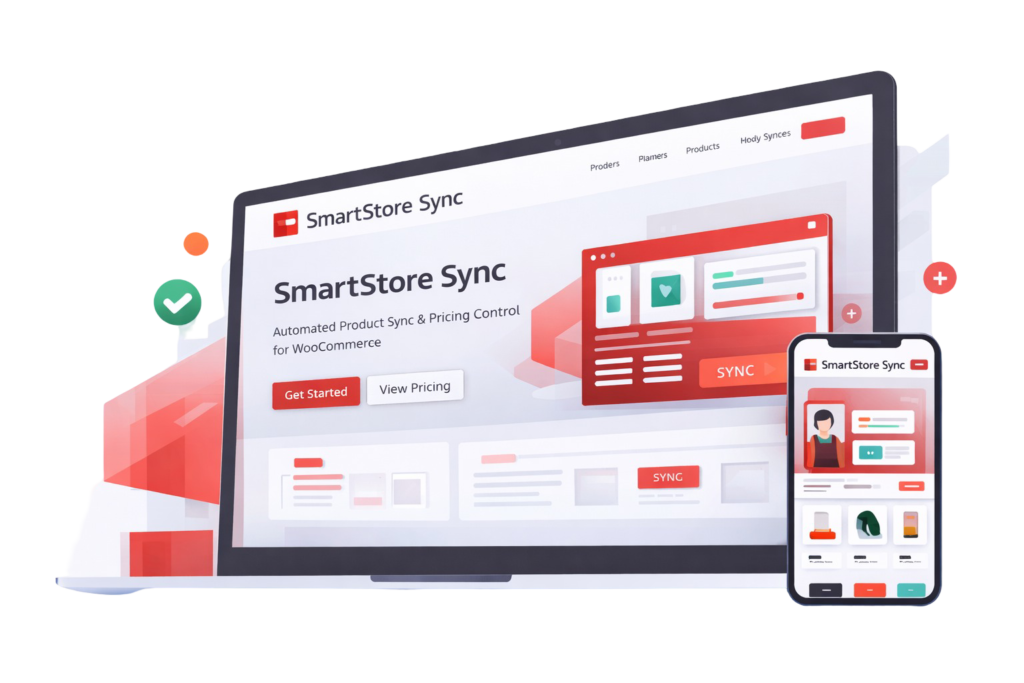
What SmartStore Sync Does
Automated Product Sync
Automatically import and update products from external stores without manual work.
Flexible Profit Margins
Set profit margins globally or per category to control pricing with precision.
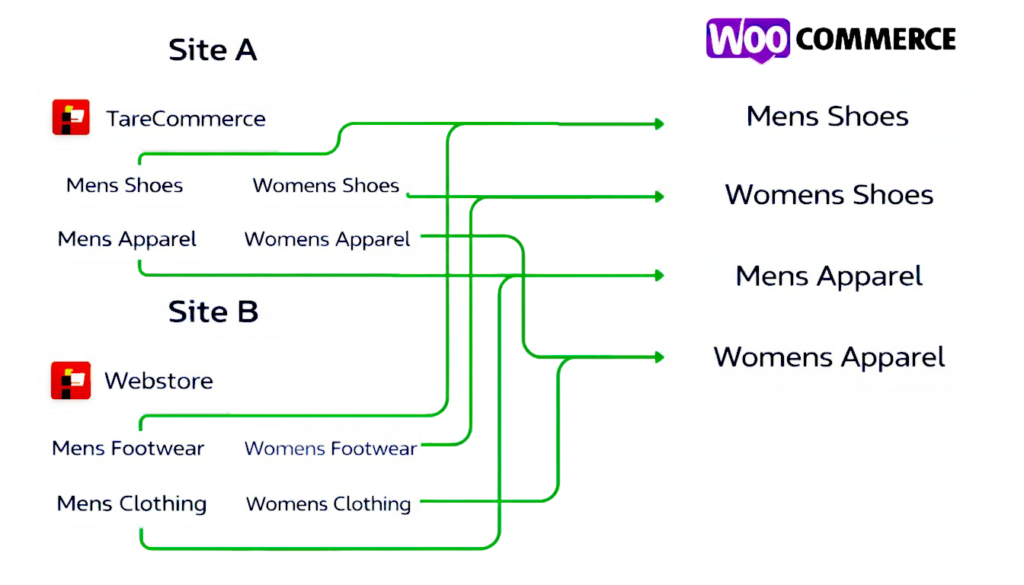
Smart Category Mapping
Map multiple external store categories into a clean, unified WooCommerce category structure.
Stock & Availability Sync
Keep product stock status and availability updated automatically in real time.
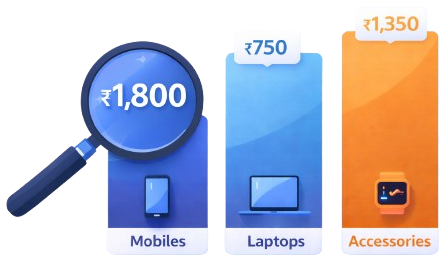
Powerful Pricing Control
Set Global & Category Wide Margins
Profits Will Directly added to Base Price
Hassel Free Margins for Each Category
Smart Category Mapping
Get Your Website For Free
Free E-Commerce Website When Purchased Anually

Fully Functional E-Commerce Website
Custom Design from our curated set of professional e-commerce themes.
You can choose the theme you like, and we’ll customize it to suit your brand.
Mobile-Friendly & Responsive
Free Domain Included.
Ready To Scale Your WooCommerce Store?
Supported Websites & Custom Website Suppport
SmartStore Sync is built to work with a wide range of source websites.
Ready to use Integrations
We currently have pre-built scrappers for:
All Stores listed on cartpe.in
WooCommerce Based Websites
These integrations are ready to use and can be activated immediately.
Need Products from Another Website?
If the website you want to import products from is not currently supported, no problem. With our Annual Plan, you can request a custom scraper.
Share the website URL with us.
We review technical feasibility and compliance.
We build a scraper specifically for your use case.
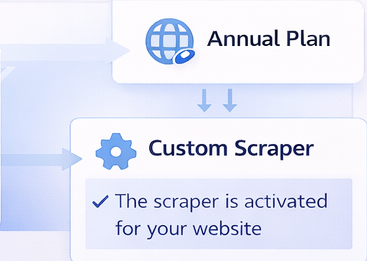
*Custom scrapers are created only for websites where automated data usage is legally and technically permitted.
How to use SmartStore Sync
SmartStore Sync is designed to work automatically from day one. Once configured, everything runs in the background without manual work.
Install & Activate the Plugin
- Install SmartStore Sync on your WooCommerce
- Activate the plugin from your WordPress dashboard
Set Up Purchase Token
- Go to Smart Store Sync from the left pannel on WordPress admin panel
- Enter your Purchase Token
- Click on Save and Verify
Set Up Woocommerce Credentials
- Generate Woocommerce API Key, WooCommerce → Settings → Advanced → REST API
- Go to Smart Store Sync from the left pannel on WordPress admin panel
- Enter your Woocommerce Consumer Secret & Consumer Key
- Click on Save Credentials.
Select Source Websites
- Navigate to SmartStore Sync →
→ Stores. - Select the website(s) you want to import products from Supported websites list.
- Click on Save Stores.
Configure Categories & Pricing
- Navigate to SmartStore Sync →
→ Category Mapping. - Select the Mapping.
- Select the Profit Margins
- Click on Save Mappings.
Automatic Daily Sync
- After the first import, Prices, Stock, Availibility update automatically.
- Category mappings & margins are always respected
- New Products are added when detected. (Once Everyday)
What SmartStore Sync Does
Automated Product Sync
Automatically import and update products from external stores without manual work.
Flexible Profit Margins
Set profit margins globally or per category to control pricing with precision.
Smart Category Mapping
Map multiple external store categories into a clean, unified WooCommerce category structure.
Stock & Availability Sync
Keep product stock status and availability updated automatically in real time.
Powerful Pricing Control
Set Global & Category Wide Margins
Profits Will Directly added to Base Price
Hassel Free Margins for Each Category
Smart Category Mapping
Get Your Website For Free
Free E-Commerce Website When Purchased Anually
Fully Functional E-Commerce Website
Custom Design from our curated set of professional e-commerce themes.
You can choose the theme you like, and we’ll customize it to suit your brand.
Mobile-Friendly & Responsive
Free Domain Included.
Pricing
Supported Websites & Custom Website Suppport
SmartStore Sync is built to work with a wide range of source websites.
Ready to use Integrations
We currently have pre-built scrappers for:
All Stores listed on cartpe.in
WooCommerce Based Websites
These integrations are ready to use and can be activated immediately.
Need Products from Another Website?
If the website you want to import products from is not currently supported, no problem. With our Annual Plan, you can request a custom scraper.
Share the website URL with us.
We review technical feasibility and compliance.
We build a scraper specifically for your use case.
*Custom scrapers are created only for websites where automated data usage is legally and technically permitted.
How to use SmartStore Sync
SmartStore Sync is designed to work automatically from day one. Once configured, everything runs in the background without manual work.
Install & Activate the Plugin
- Install SmartStore Sync on your WooCommerce
- Activate the plugin from your WordPress dashboard
Set Up Purchase Token
- Go to Smart Store Sync from the left pannel on WordPress admin panel
- Enter your Purchase Token
- Click on Save and Verify
Set Up Woocommerce Credentials
- Generate Woocommerce API Key, WooCommerce → Settings → Advanced → REST API
- Go to Smart Store Sync from the left pannel on WordPress admin panel
- Enter your Woocommerce Consumer Secret & Consumer Key
- Click on Save Credentials.
Select Source Websites
- Navigate to SmartStore Sync →
→ Stores. - Select the website(s) you want to import products from Supported websites list.
- Click on Save Stores.
Configure Categories & Pricing
- Navigate to SmartStore Sync →
→ Category Mapping. - Select the Mapping.
- Select the Profit Margins
- Click on Save Mappings.
Automatic Daily Sync
- After the first import, Prices, Stock, Availibility update automatically.
- Category mappings & margins are always respected
- New Products are added when detected. (Once Everyday)